Write real Java. Watch it draw.
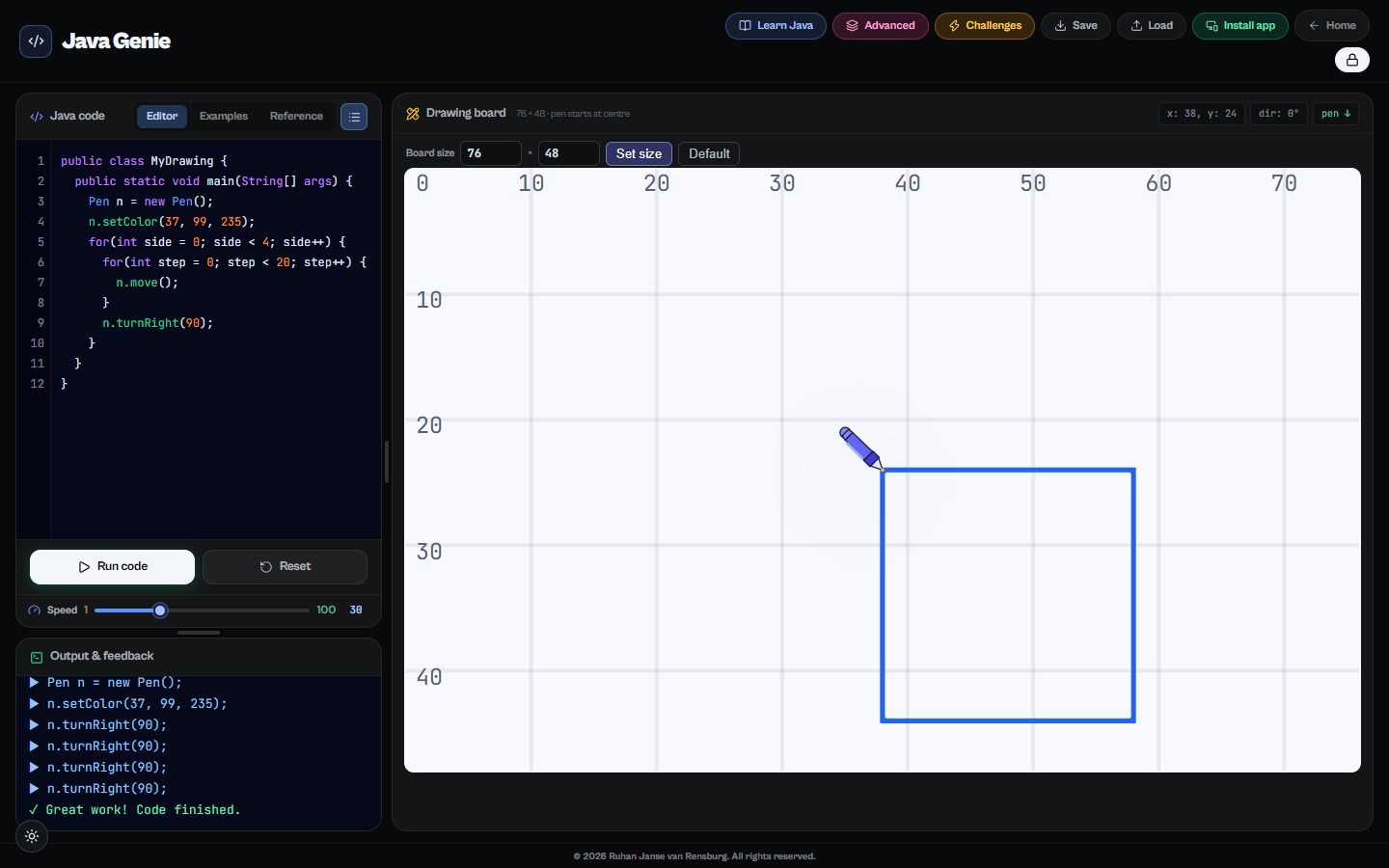
Java Genie teaches Java through turtle graphics: every line of code moves a pen on the drawing board, so learners see exactly what their program does. A built-in tutorial goes from the first variable to drawing a windmill, and an advanced course takes them through reading errors, if / else, while loops and writing their own methods.
Runs in any modern browser. Nothing to install.
What learners do
Code you can see
Turtle graphics turn loops and variables into shapes, so mistakes are visible straight away.
A tutorial built in
Fifteen guided steps from "What is Java?" to a capstone windmill drawing.
Challenges
Drawing challenges that test what learners can do on their own.
Save and continue
Programs are saved, so work carries over from one lesson to the next.
What’s inside
Learn Java
- What is Java?
- Variables
- Creating an object and calling a method
- Sequences
- Repeating with a for loop
- Drawing a square, stairs and a heartbeat
- Nested loops and variables
- Capstone: drawing a house and a windmill
Advanced Java
- Reading error messages
- Missing semicolons and mismatched braces
- Unknown variables and classes
- Infinite loops
- Making decisions with if / else
- The while loop
- Writing your own methods
- Methods with parameters
Questions
Is it real Java?
Yes. Learners write standard Java classes and methods; the drawing pen is just an object they control, which makes the step to Grade 10 IT smaller.
Do learners need to install anything?
No, it runs in the browser on school computers and Chromebooks.
How much does it cost?
Java Genie is one of thirteen tools on The Magic Lab. Start with a free account; full access to every tool is one plan, and schools can get a quote for all their learners and teachers.