Robotics, without the robot.
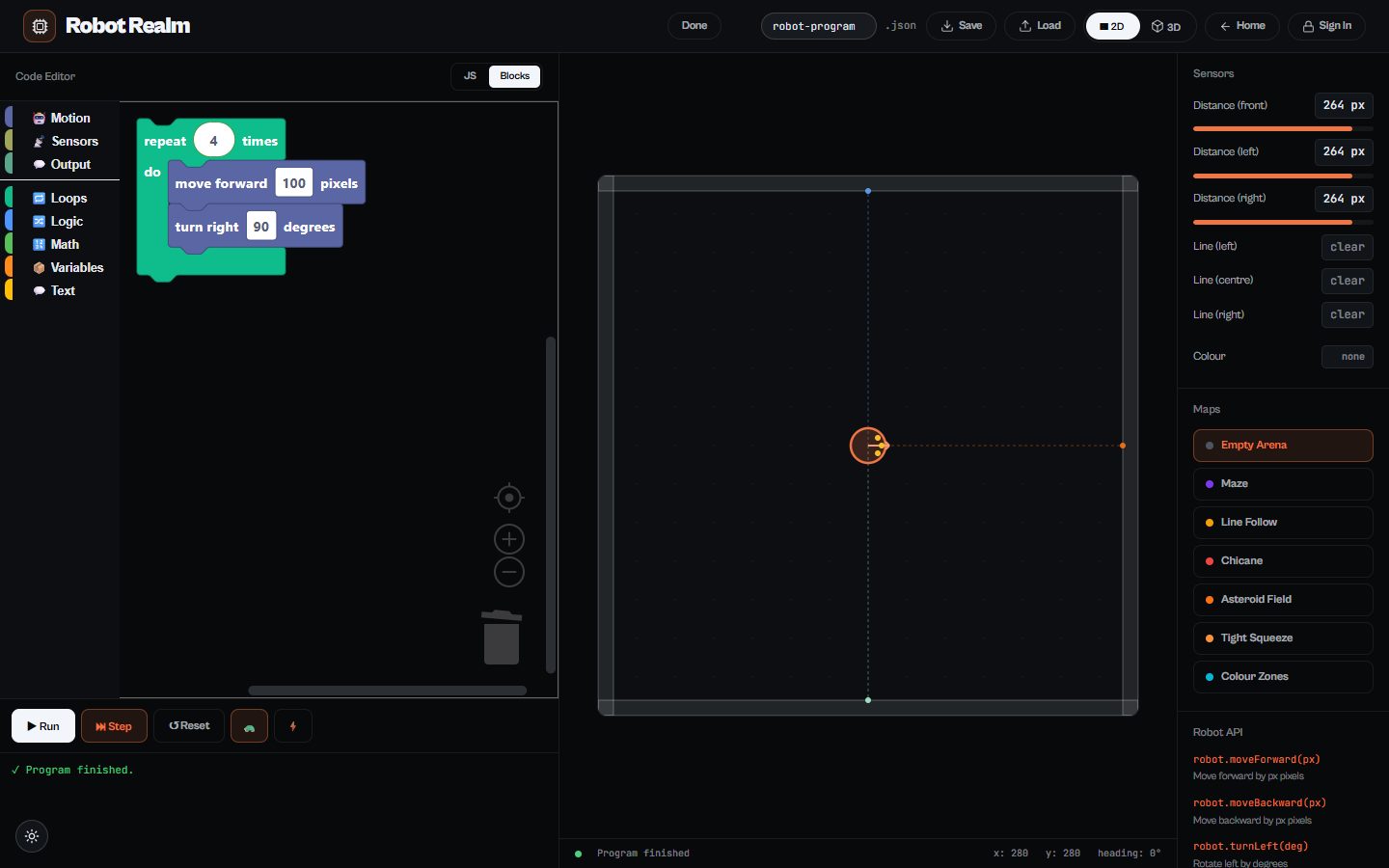
Robot Realm gives every learner a robot to program. They write code in blocks or JavaScript to drive its motors, read its distance, line and colour sensors, and solve arenas from an empty floor to mazes, line-following tracks and tight squeezes, in a 2D or 3D view.
Runs in any modern browser. Nothing to install.
What learners do
Blocks or JavaScript
Start with drag-and-drop blocks and move on to typed JavaScript in the same tool.
Real sensors
Front, left and right distance sensors, three line sensors and a colour sensor.
Seven arenas
Empty arena, maze, line follow, chicane, asteroid field, tight squeeze and colour zones.
2D and 3D views
Watch the run from above or in 3D, step through a program, and speed it up or slow it down.
What’s inside
Programming the robot
- Moving forward and back, turning by degrees
- Loops, logic, maths and variables
- Reading distance, line and colour sensors
- Setting speed and logging to the console
Arenas
- Empty arena
- Maze
- Line follow
- Chicane
- Asteroid field
- Tight squeeze
- Colour zones
Questions
Do we need robot kits?
No. Robot Realm is a simulator, so every learner can program a robot at the same time; it is a good way in before a school buys kits.
Is it the same as Spike Spellcaster?
No. Spike Spellcaster programs a real LEGO SPIKE Prime in Python; Robot Realm is a general robot simulator in blocks and JavaScript.
How much does it cost?
Robot Realm is one of thirteen tools on The Magic Lab. Start with a free account; full access to every tool is one plan, and schools can get a quote for all their learners and teachers.